
What can you do with a 64-bit Raspberry Pi?
Ryan Clancy | May 16, 2022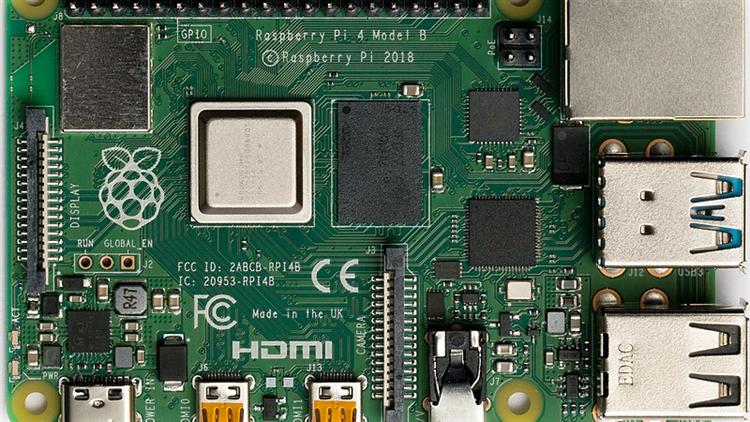 Source: Laserlich/CC BY-SA 4.0
Raspberry Pi, the popular credit-card-sized single-board computer, has a new OS release that offers enhanced features and a 64-bit kernel. With its advanced capabilities and expanded features, this OS upgrade provides a significant performance boost.
Installing Raspberry Pi OS 64-bit
You must have a Raspberry Pi that has a 64-bit processor to begin. Some of the compatible models are:
- Raspberry Pi CM3
- Raspberry Pi CM3+
- Raspberry Pi CM4
- Raspberry Pi Zero 2 W
- Raspberry Pi 3A+
- Raspberry Pi 3B
- Raspberry Pi 3B+
- Raspberry Pi 400
- Raspberry Pi 4B
The operating system itself will require an 8 GB microSD card to be installed. The Raspberry Pi Imager tool can then be downloaded on a different computer, and the 64-bit version (Lite or Standard) can be selected to be downloaded. The next steps are as follows:
1. Unzip the image and copy it to your microSD card.
2. Insert the microSD card into your Raspberry Pi and power it on.
3. Once your Raspberry Pi has booted, you will be prompted to enter a username and password. The default username is “pi,” and the default password is “raspberry.”
4. After logging in, you will be presented with the Raspberry Pi OS desktop. From here, you can begin installing software and applications.
5. You should now have a working installation of Raspberry Pi OS 64-Bit on your Raspberry Pi.
Using Raspberry Pi OS 64-bit
Your newly installed 64-bit Raspberry Pi OS is compatible with 64-bit Linux applications with ARM64 architecture. As the Raspberry Pi OS is built on Debian, it will also be compatible with any standard ARM64 Debian package.
Significant performance boost
The biggest advantage of using the 64-bit OS is the performance boost. The extra address space and larger registers make the CPU faster and more efficient. This can be especially helpful if you're running resource-intensive applications like games or video editing software.
There are a few other benefits to using the 64-bit OS as well. For one, it supports more than 4 GB of RAM, which is vital if you're using a Raspberry Pi 4 with 8 GB of RAM. This is important for specific use cases, including servers, which require a lot of RAM. Furthermore, the 64-bit OS can handle more complex tasks and is much more future-proof than the 32-bit version.
The downsides of 64-Bit Raspberry Pi
However, there are also some downsides to using the 64-bit OS. One is that it's not compatible with all software. If you're using any software that's not been updated to support 64-bit architectures, it won't work. The 64-bit OS also uses more power than the 32-bit version, so your battery life will be shorter if you use a portable Raspberry Pi.
Another downside is that there is no WidevineCDM library. What this means is that any media from Netflix, Amazon Prime, Hulu, Spotify or other streaming services will not be able to be played on Chromium.
Overall, the benefits of using the 64-bit OS outweigh the downsides. If you're using a Raspberry Pi 4, it's worth upgrading to take advantage of the performance boost. Just be aware of the potential compatibility issues and shorter battery life before switching.
What to know before upgrading
If you're thinking about upgrading to the 64-bit Raspberry Pi OS version, you should know a few things first.
- Make sure your system meets the minimum requirements. The 64-bit version requires a processor that supports the ARMv8 architecture.
- You'll also need at least 4 GB of RAM.
- If you're using an older version of Raspberry Pi OS, you'll need to upgrade your kernel. The 64-bit version of Raspberry Pi OS uses a different kernel than the 32-bit version. You can upgrade your kernel by running the following command: sudo apt-get update && sudo apt-get upgrade.
- Back up your data before upgrading. As with any major operating system upgrade, it's always a good idea to back up your data before proceeding. This will ensure that you can revert to your previous setup if something goes wrong.
- Follow the instructions carefully. The process of upgrading to the 64-bit version of Raspberry Pi OS is relatively straightforward. However, it's important to follow the instructions carefully to avoid potential problems.
What to do with the 64-Bit version of Raspberry Pi OS
One of the most obvious things you can do with a 64-bit OS is to run 64-bit applications. This includes many of the popular productivity applications like Microsoft Office and Google Docs and more demanding applications like games and more.
Another thing you can do with a 64-bit processor is run multiple operating systems. This is perfect for those who want to experiment with different Linux distributions or even other types of OSes such as Windows 10 IoT Core. With a 64-bit processor, you have the power to run multiple virtual machines, giving you incredible flexibility when it comes to your computing needs.
Conclusion
The 64-bit Raspberry Pi operating system is finally out, and it offers some impressive features. This new OS provides many advantages for users, including a performance boost and the ability to use more memory for a single process. While there are some downsides to using the 64-bit OS around compatibility and specific applications and use cases, it is still an excellent option for those looking for an upgrade.
What projects are you planning to work on with your new Raspberry Pi? Engineering 360 would love to hear your thoughts in the comments below!